 Blur Face
무료 AI 얼굴 블러 —
온라인에서 얼굴 숨기기, 흐리게 하기, 수정하기
개인정보 보호 AI로 몇 초 만에 사진을 익명화하세요. 업로드와 가입 없이 100% 브라우저 기반 처리로 완벽한 보안을 보장합니다.
몇 초 만에 얼굴을 흐리게 하고, 숨기고, 수정하는 방법
완전한 프라이버시를 위해 사진의 얼굴을 차단하세요. 직관적인 에디터로 등록 없이도 쉽게 사진을 익명화할 수 있습니다.
1. 사진 선택
PC나 모바일에서 사진을 선택하거나 끌어다 놓으세요. JPEG, PNG, WebP 등 다양한 형식을 지원하며, 브라우저에서 즉시 열립니다.
2. 자동 감지 및 편집
AI가 얼굴을 식별하여 자동으로 블러 레이어를 생성합니다. 흐림 강도를 조절하거나, 모자이크/이모티콘 등 스타일을 변경하고, 수동으로 영역을 수정할 수도 있습니다.
3. 저장 및 공유
완성된 고화질 사진을 다운로드하세요. 위치 정보(EXIF) 등 민감한 메타데이터도 자동으로 삭제되어 더욱 안전합니다.
Blur Face를 선택해야 하는 이유
전문가 수준의 AI 감지 기술과 엄격한 프라이버시 보호 정책의 완벽한 조화.
-
똑똑한 AI 자동 감지
최신 머신러닝 모델이 복잡한 배경이나 여러 명의 얼굴도 정확하게 찾아내어, 수동 편집 시간을 획기적으로 줄여줍니다.
-
정밀한 수동 제어
더 세밀한 작업이 필요하신가요? 블러 영역을 미세하게 조정하거나, 자동차 번호판/문서 등에 수동으로 블록을 추가하여 완벽하게 가리세요.
-
100% 내 기기에서 처리
다른 앱들과 달리, 우리는 사용자의 사진을 절대 서버로 보내지 않습니다. WebAssembly 기술을 통해 모든 처리가 브라우저 내부에서 안전하게 완료됩니다.
전문가를 위한 개인정보 보호 규정 준수
법률, 법집행 및 보안 전문가를 위해 설계되었습니다.
GDPR 및 CCPA 대응 완료
엄격한 개인정보 보호 규정을 준수하면서 민감한 사진과 공공 이미지를 처리하세요.
클라우드 노출 없음
제로 업로드 아키텍처를 통해 증거 및 민감한 데이터가 기기를 떠나지 않도록 보장합니다.
EXIF 데이터 제거
GPS 및 기기 메타데이터를 자동으로 삭제하여 위치 추적을 방지합니다.
눈으로 확인하는 보안
일반적인 클라우드 방식과 우리의 안전한 로컬 처리 방식의 차이를 확인해보세요.
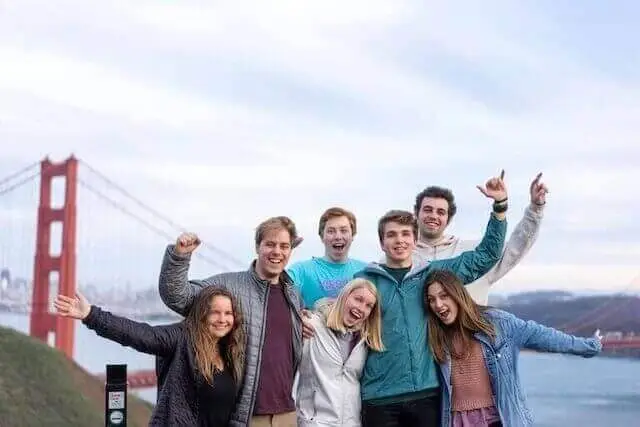
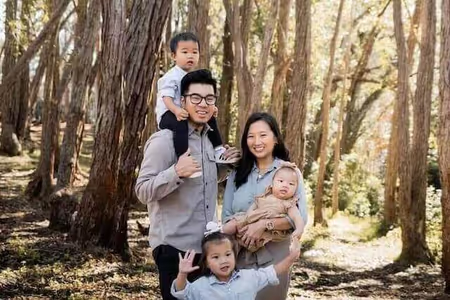
처리 전: 얼굴이 식별 가능하며, 위치 정보 등 민감한 데이터가 노출되어 있습니다.
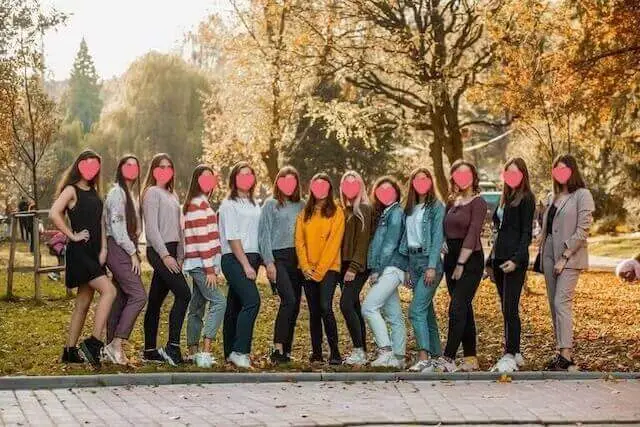
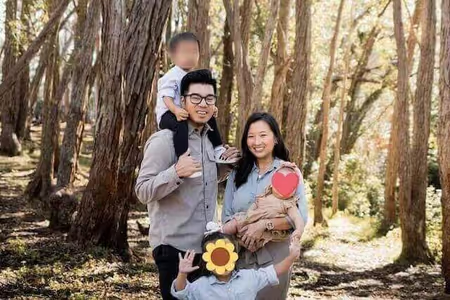
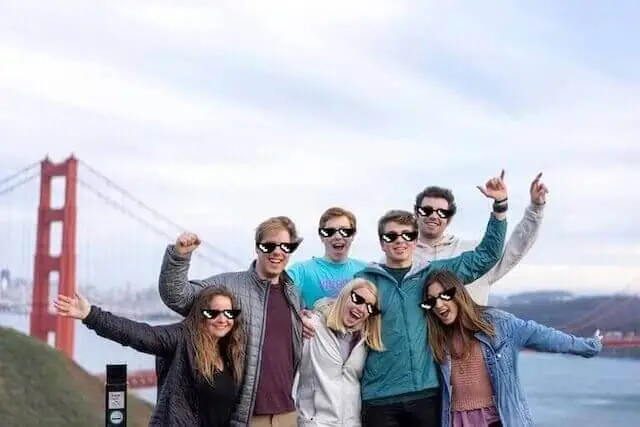
처리 후: 신원이 완벽히 보호되며, EXIF 정보가 삭제되어 안전합니다.
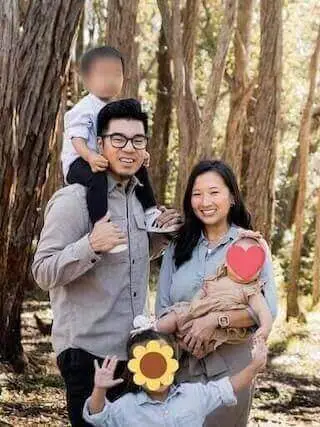
iPhone 및 Android에서 얼굴을 흐리게 하는 방법
이동 중에도 프라이버시를 보호하세요. 앱 다운로드가 필요하지 않습니다.
frame-by-frame AI blur
동영상의 얼굴도 블러 처리하세요
AI가 MP4·MOV 파일의 모든 얼굴을 프레임별로 자동 감지하여 블러 처리합니다. 브라우저에서 직접 실행되며 업로드가 필요 없습니다.
- AI가 모든 얼굴을 자동 감지
- 브라우저에서 실행 — 업로드 없음, 서버 없음
- 무료 — MP4 및 MOV(H.264) 지원
AI 일괄 이름 변경: 이미지 SEO를 위한 파일 이름 자동 최적화
개인정보 보호 우선 AI를 사용하여 블러 처리된 사진에 대해 SEO 친화적인 파일 이름을 자동으로 생성하는 방법을 알아보세요.
자주 묻는 질문 (FAQ)
서비스 이용과 보안에 대해 궁금한 점을 해결해 드립니다.
정말 무료인가요?
Yes, our face blur tool is completely free to use without any hidden fees or subscriptions. Unlike many other online photo editors that restrict features behind a paywall or limit the number of images you can process daily, Blur Face offers unlimited access to its core functionality. We believe that digital privacy should be accessible to everyone, which is why we do not require you to create an account, register your email, or provide credit card information. You can use our tool to pixelate, censor, or blur as many images as you need, whether you are a casual user protecting family photos or a professional processing business documents. Our platform is supported through non-intrusive advertisements and voluntary donations, allowing us to maintain high-quality serverless infrastructure while keeping the tool 100% free for the global community.
내 사진이 서버에 저장되나요?
Our AI face detection operates entirely within your web browser using advanced lightweight machine learning models. When you select an image, the photo is never uploaded to an external server or cloud database. Instead, the artificial intelligence algorithm, powered by WebAssembly (WASM) and TensorFlow.js, scans the pixel data locally on your device's processor. It rapidly identifies facial landmarks such as eyes, noses, and mouth structures to determine the presence and exact coordinates of human faces. This local processing ensures lightning-fast detection speeds, typically highlighting faces in less than a second, regardless of your internet connection speed. Because the AI model runs on the client side, your privacy is absolutely guaranteed—nobody, not even our development team, can see or access the photos you are editing. This makes it the safest option for handling sensitive or confidential media.
사진의 위치 정보는 어떻게 되나요?
Absolutely. One of the most powerful features of Blur Face is its ability to handle multiple faces simultaneously with incredible precision. When you load a group photo—whether it’s a classroom picture, a crowded street scene, or a corporate event snapshot—our AI engine instantly scans the entire canvas and detects every single face. By default, you can click the "Blur All" button to instantly apply your chosen privacy effect (such as standard blur, pixelation mosaic, or solid black censor bars) to every detected individual at once. This batch processing capability saves you significant time compared to manually drawing boxes over each person. If there are specific people you want to remain visible, you can simply tap or click on their individual blur masks to remove the effect, giving you complete granular control over exactly who is anonymized and who stays in focus.
여러 장을 한꺼번에 편집할 수 있나요?
Yes, it is fundamentally safe to process highly sensitive, confidential, or private photos using Blur Face because of our unique offline-first architecture. Most online photo editors require you to upload your files to their remote servers for processing, which creates significant security vulnerabilities, potential data breaches, and privacy compliance issues under laws like GDPR or CCPA. In contrast, our tool processes all images locally directly within your web browser (client-side processing). Your photos literally never leave your smartphone, tablet, or computer. There is no cloud storage, no temporary server caching, and no data collection of your imagery. Once you close the browser tab, all image data is instantly and permanently cleared from the application's memory. This makes Blur Face an ideal and secure solution for journalists, legal professionals, medical staff, and everyday users handling sensitive material.
스마트폰에서도 되나요?
Yes, Blur Face is fully optimized for mobile devices and provides a seamless, app-like experience across all modern smartphones and tablets. Whether you are using an iPhone running iOS, an Android device, or a tablet like an iPad, you can access the full suite of features directly through your mobile web browser (such as Safari, Google Chrome, Firefox, or Edge). There is no need to visit the App Store or Google Play to download a bulky application that consumes your device's storage space. The mobile interface features intuitive touch controls, allowing you to easily tap faces to blur them, pinch to zoom for precise editing, and drag your finger to draw custom censor boxes. Furthermore, since the processing relies on your device's local hardware, it operates efficiently without consuming massive amounts of mobile data, making it perfect for editing on the go.
왜 얼굴을 가려야 하나요?
Yes, our tool is incredibly versatile and goes far beyond just blurring human faces. While our AI is optimized for facial detection, the manual editing capabilities allow you to obscure any sensitive information or unwanted elements in your photographs. By using the manual "Add Block" feature, you can click and drag to draw custom redaction boxes over a wide variety of subjects. This is incredibly useful for blurring out vehicle license plates to protect driver privacy, censoring explicit or graphic content before sharing it online, hiding confidential text such as home addresses, bank account numbers, or passwords in screenshots, and covering up branded logos or identifying tattoos. You can choose to apply a soft blur, a pixelated mosaic, or a solid black box to these custom areas, giving you complete flexibility for any redaction use case.
블러 모양을 바꿀 수 있나요?
Removing hidden metadata, commonly known as EXIF data, is a crucial step in protecting your digital privacy, and Blur Face handles this automatically for you. Whenever you take a photo with a smartphone or modern digital camera, the device invisibly embeds detailed information into the image file. This EXIF data often includes your exact GPS location coordinates, the date and time the photo was taken, the device model, and specific camera settings. When you use Blur Face to edit and download an image, our processing engine automatically strips all of this hidden metadata from the final exported file. You do not need to click any special buttons or toggle any settings; the metadata removal is a built-in security feature. This ensures that when you share the redacted image on social media or send it to others, you are not inadvertently leaking your location or personal habits.
AI가 완벽하게 얼굴을 찾나요?
No, we never add watermarks, branding, or intrusive logos to your edited and downloaded images. We understand that whether you are using Blur Face for personal social media posts, professional journalistic reporting, or corporate compliance, you need clean, unbranded results. Many free online tools force a watermark onto your final image and require a paid premium subscription to remove it. We strongly believe that privacy tools should not compromise the aesthetic quality or usability of your photos. The image you download will look exactly as you edited it, preserving the original aspect ratio and as much of the original image quality as possible, with only your intended blurs or censors applied. You retain full ownership and copyright of your edited images, free to use them in any personal or commercial context without any forced attribution.
프로그램 설치가 필요한가요?
Blur Face is designed to support a wide range of standard image formats to ensure compatibility with photos taken from almost any device or downloaded from the web. You can seamlessly upload and edit images in JPEG (and JPG), PNG, WebP, and AVIF formats. JPEG is ideal for standard smartphone camera photos, while PNG is perfectly supported for images requiring lossless quality or transparent backgrounds (note that the exported image may be flattened depending on the blur application). We also support modern next-generation formats like WebP, which offer superior compression and quality. When you finish editing and click the download button, the tool will typically export your image as a high-quality JPEG or PNG to ensure maximum compatibility across all platforms, social media networks, and messaging apps, making it incredibly easy to share your newly anonymized photos immediately.
결과물은 어떻게 저장하나요?
Yes, you have complete flexibility to undo mistakes and adjust your edits before finalizing the image. Because Blur Face is an interactive, non-destructive editor, your original uploaded photo remains untouched in the background until you decide to click the download button. If you accidentally apply a blur to the wrong person, simply tap or click on that specific blur mask to instantly remove it. If you have drawn a custom censor box that is the wrong size or in the wrong location, you can easily select it, drag its corners to resize it, move it around the canvas, or delete it entirely using the trash can icon. Furthermore, we provide a "Clear All" button that instantly removes every single blur, pixelation, and censor box from the canvas, allowing you to start fresh without needing to re-upload the original image.