 Blur Face
免费 AI 人脸打码 —
在线快速模糊与遮盖脸部
使用隐私优先的 AI 在几秒钟内匿名化照片。免上传、免注册,100% 浏览器本地处理,确保个人资料绝对安全。
简单 3 步骤,轻松保护隐私
我们的编辑器直观易用,无需任何修图技巧或账号注册,即可快速匿名化您的照片。
1. 上传照片
从电脑或手机选择照片,或直接拖放。支持 JPEG、PNG 和 WebP 格式。照片会在浏览器中即时开启,不会发送至服务器。
2. AI 自动检测与编辑
AI 会瞬间检测所有脸部并应用模糊效果。您可以自由调整模糊强度、切换马赛克或是可爱贴图样式,也能手动微调区域。
3. 安全下载
下载处理好的高画质照片。我们会自动移除 EXIF 等敏感元数据(如拍摄地点),确保您的隐私滴水不漏。
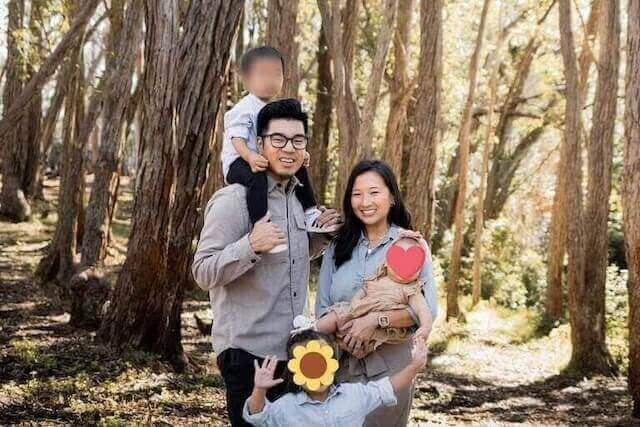
为什么选择 Blur Face?
我们结合了专业级的 AI 识别技术与严格的隐私优先架构,给您最安心的体验。
-
智能 AI 检测
最新的机器学习模型能精准识别复杂场景中的多张脸孔,大幅节省您的手动修图时间。
-
精确手动控制
需要更细致的调整?您可以轻松新增或移除模糊区域,甚至手动遮挡车牌、文件等敏感信息,并自定义外观样式。
-
100% 客户端处理
与其他工具不同,我们完全看不到您的照片。通过 WebAssembly 技术,所有运算都在您的浏览器内完成,数据绝不外泄。
专业人士的隐私合規性
专为法律、执法和安全专家设计。
符合 GDPR 和 CCPA
在满足严格隐私法规的同时,处理敏感的公开照片
无云端泄露风险
我们的零上传架构确保证据和敏感数据绝不会离开您的设备。
EXIF 数据移除
自动清除 GPS 和设备元数据,防止位置追踪。
看得见的隐私保障
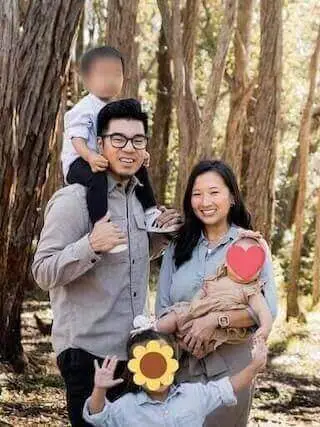
比较一般云端处理与我们安全本地处理的差异。
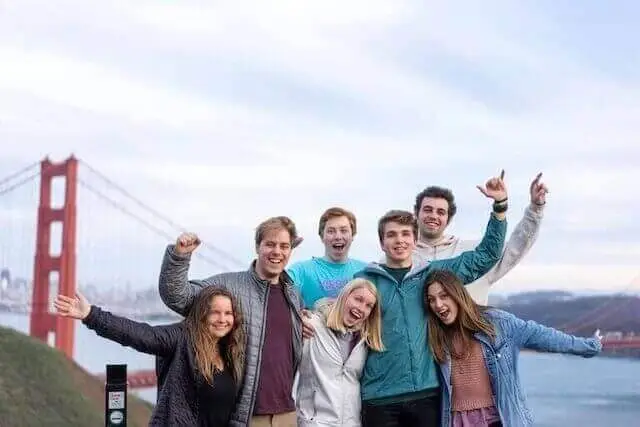
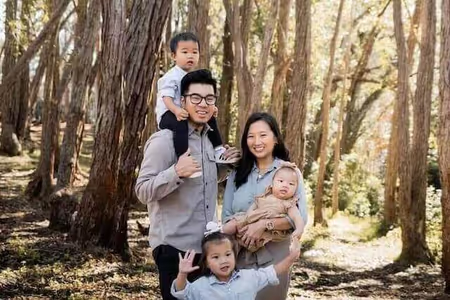
处理前: 脸部特征清晰可辨,且包含位置等敏感元数据。
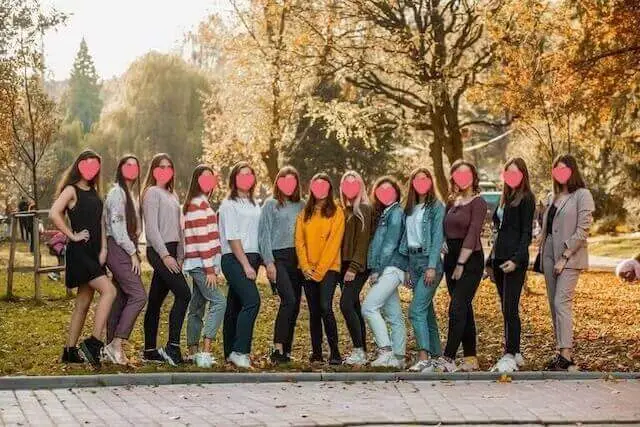
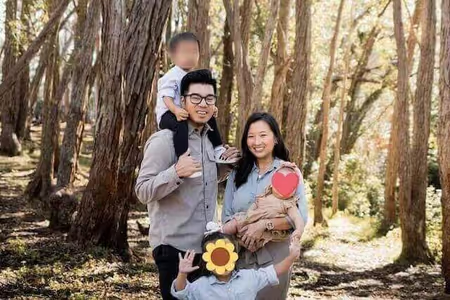
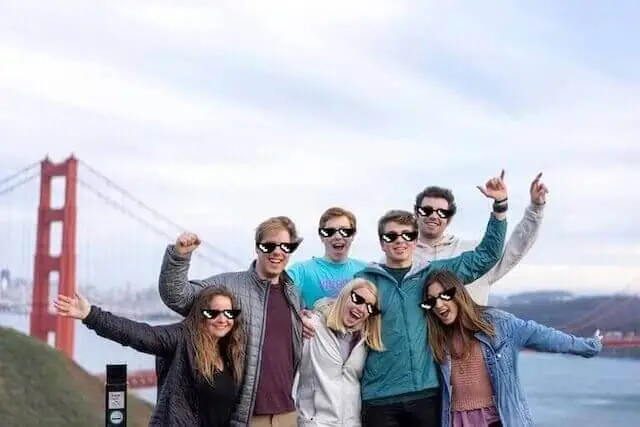
处理后: 身份特征已受保护,EXIF 个人信息已彻底移除。
frame-by-frame AI blur
也能模糊视频中的脸
AI 自动逐帧检测并模糊 MP4 和 MOV 视频中的所有面部 — 直接在浏览器中处理,无需上传。
- AI 自动检测每张脸
- 在浏览器中运行 — 无需上传,无需服务器
- 免费 — 支持 MP4 和 MOV(H.264)
常见问题 (FAQ)
关于我们的技术与数据安全,这里有您想知道的解答。
Blur Face 真的是免费的吗?
Yes, our face blur tool is completely free to use without any hidden fees or subscriptions. Unlike many other online photo editors that restrict features behind a paywall or limit the number of images you can process daily, Blur Face offers unlimited access to its core functionality. We believe that digital privacy should be accessible to everyone, which is why we do not require you to create an account, register your email, or provide credit card information. You can use our tool to pixelate, censor, or blur as many images as you need, whether you are a casual user protecting family photos or a professional processing business documents. Our platform is supported through non-intrusive advertisements and voluntary donations, allowing us to maintain high-quality serverless infrastructure while keeping the tool 100% free for the global community.
我的照片会被上传到服务器吗?
Our AI face detection operates entirely within your web browser using advanced lightweight machine learning models. When you select an image, the photo is never uploaded to an external server or cloud database. Instead, the artificial intelligence algorithm, powered by WebAssembly (WASM) and TensorFlow.js, scans the pixel data locally on your device's processor. It rapidly identifies facial landmarks such as eyes, noses, and mouth structures to determine the presence and exact coordinates of human faces. This local processing ensures lightning-fast detection speeds, typically highlighting faces in less than a second, regardless of your internet connection speed. Because the AI model runs on the client side, your privacy is absolutely guaranteed—nobody, not even our development team, can see or access the photos you are editing. This makes it the safest option for handling sensitive or confidential media.
照片的元数据(Metadata)会如何处理?
Absolutely. One of the most powerful features of Blur Face is its ability to handle multiple faces simultaneously with incredible precision. When you load a group photo—whether it’s a classroom picture, a crowded street scene, or a corporate event snapshot—our AI engine instantly scans the entire canvas and detects every single face. By default, you can click the "Blur All" button to instantly apply your chosen privacy effect (such as standard blur, pixelation mosaic, or solid black censor bars) to every detected individual at once. This batch processing capability saves you significant time compared to manually drawing boxes over each person. If there are specific people you want to remain visible, you can simply tap or click on their individual blur masks to remove the effect, giving you complete granular control over exactly who is anonymized and who stays in focus.
可以一次编辑多张照片吗?
Yes, it is fundamentally safe to process highly sensitive, confidential, or private photos using Blur Face because of our unique offline-first architecture. Most online photo editors require you to upload your files to their remote servers for processing, which creates significant security vulnerabilities, potential data breaches, and privacy compliance issues under laws like GDPR or CCPA. In contrast, our tool processes all images locally directly within your web browser (client-side processing). Your photos literally never leave your smartphone, tablet, or computer. There is no cloud storage, no temporary server caching, and no data collection of your imagery. Once you close the browser tab, all image data is instantly and permanently cleared from the application's memory. This makes Blur Face an ideal and secure solution for journalists, legal professionals, medical staff, and everyday users handling sensitive material.
手机上也能使用吗?
Yes, Blur Face is fully optimized for mobile devices and provides a seamless, app-like experience across all modern smartphones and tablets. Whether you are using an iPhone running iOS, an Android device, or a tablet like an iPad, you can access the full suite of features directly through your mobile web browser (such as Safari, Google Chrome, Firefox, or Edge). There is no need to visit the App Store or Google Play to download a bulky application that consumes your device's storage space. The mobile interface features intuitive touch controls, allowing you to easily tap faces to blur them, pinch to zoom for precise editing, and drag your finger to draw custom censor boxes. Furthermore, since the processing relies on your device's local hardware, it operates efficiently without consuming massive amounts of mobile data, making it perfect for editing on the go.
为什么要在分享前模糊人脸?
Yes, our tool is incredibly versatile and goes far beyond just blurring human faces. While our AI is optimized for facial detection, the manual editing capabilities allow you to obscure any sensitive information or unwanted elements in your photographs. By using the manual "Add Block" feature, you can click and drag to draw custom redaction boxes over a wide variety of subjects. This is incredibly useful for blurring out vehicle license plates to protect driver privacy, censoring explicit or graphic content before sharing it online, hiding confidential text such as home addresses, bank account numbers, or passwords in screenshots, and covering up branded logos or identifying tattoos. You can choose to apply a soft blur, a pixelated mosaic, or a solid black box to these custom areas, giving you complete flexibility for any redaction use case.
可以选择不同的模糊样式吗?
Removing hidden metadata, commonly known as EXIF data, is a crucial step in protecting your digital privacy, and Blur Face handles this automatically for you. Whenever you take a photo with a smartphone or modern digital camera, the device invisibly embeds detailed information into the image file. This EXIF data often includes your exact GPS location coordinates, the date and time the photo was taken, the device model, and specific camera settings. When you use Blur Face to edit and download an image, our processing engine automatically strips all of this hidden metadata from the final exported file. You do not need to click any special buttons or toggle any settings; the metadata removal is a built-in security feature. This ensures that when you share the redacted image on social media or send it to others, you are not inadvertently leaking your location or personal habits.
AI 的检测准确率如何?
No, we never add watermarks, branding, or intrusive logos to your edited and downloaded images. We understand that whether you are using Blur Face for personal social media posts, professional journalistic reporting, or corporate compliance, you need clean, unbranded results. Many free online tools force a watermark onto your final image and require a paid premium subscription to remove it. We strongly believe that privacy tools should not compromise the aesthetic quality or usability of your photos. The image you download will look exactly as you edited it, preserving the original aspect ratio and as much of the original image quality as possible, with only your intended blurs or censors applied. You retain full ownership and copyright of your edited images, free to use them in any personal or commercial context without any forced attribution.
需要安装软件吗?
Blur Face is designed to support a wide range of standard image formats to ensure compatibility with photos taken from almost any device or downloaded from the web. You can seamlessly upload and edit images in JPEG (and JPG), PNG, WebP, and AVIF formats. JPEG is ideal for standard smartphone camera photos, while PNG is perfectly supported for images requiring lossless quality or transparent backgrounds (note that the exported image may be flattened depending on the blur application). We also support modern next-generation formats like WebP, which offer superior compression and quality. When you finish editing and click the download button, the tool will typically export your image as a high-quality JPEG or PNG to ensure maximum compatibility across all platforms, social media networks, and messaging apps, making it incredibly easy to share your newly anonymized photos immediately.
如何保存处理好的照片?
Yes, you have complete flexibility to undo mistakes and adjust your edits before finalizing the image. Because Blur Face is an interactive, non-destructive editor, your original uploaded photo remains untouched in the background until you decide to click the download button. If you accidentally apply a blur to the wrong person, simply tap or click on that specific blur mask to instantly remove it. If you have drawn a custom censor box that is the wrong size or in the wrong location, you can easily select it, drag its corners to resize it, move it around the canvas, or delete it entirely using the trash can icon. Furthermore, we provide a "Clear All" button that instantly removes every single blur, pixelation, and censor box from the canvas, allowing you to start fresh without needing to re-upload the original image.